
Many marketers struggle with inefficient processes, such as manually updating audience lists and refining campaigns in platforms like Meta, often without the time or resources needed for optimal performance.
A key issue stems from the lack of integration between the various systems used to track customer data. Analytics tools, CRM systems, and advertising platforms fail to share or pass the essential identifiers and data required to target the right audiences effectively.
As a result, marketers are often left with outdated or incomplete data, leading to inefficiencies such as targeting existing customers with acquisition ads or showing irrelevant messages to people at the wrong stages of the customer journey.
Additionally, even when audience lists are manually uploaded (e.g., through CSV files), they quickly become outdated as prospects move through different stages in the funnel. The most effective marketers go beyond traditional methods by combining customer IDs with session data, providing a more dynamic and up-to-date view of the customer journey.
By tracking customer behavior and interactions, marketers can pinpoint where individuals are in their path toward a purchase. This data can then be synced with platforms like Meta, enabling marketers to deliver more precise and relevant advertisements.
Rather than relying solely on broad retargeting campaigns for website visitors, marketers can target the right individuals with tailored messages at ideal moments. They can also build custom and lookalike audiences to find new high-value customers using better quality data.
This playbook will guide you through the process of utilising this data to build and leverage funnel-based audiences, allowing you to deliver highly targeted ads that are aligned with each stage of the customer journey.
Getting started
Let’s break this down with an example of our own. At Ruler, we’re all about helping marketers measure the impact of their campaigns.
At Ruler, we specialise in marketing attribution, marketing mix modeling, and impression modeling designed to help marketers demonstrate the effectiveness of their campaigns, particularly for upper-funnel channels.
We bring in visitors through search, social media, and referrals. When they’re ready to take the next step, they can book a demo by filling out a form, giving us a call, or starting a live chat. They pick a time that works for them and join a demo with one of our team members.
If it’s a good fit, they’ll move through our pipeline and, hopefully, end up as a closed-won deal. In this example, we’ll send closed/won revenue data to Facebook to provide high-quality conversion insights.
This will help us to build custom lookalike audiences that attract similar, high-quality leads, maximising ROAS and delivering greater value for our budget.
Step 1: Collects IDs along the customer journey
To kick things off, we start by gathering user IDs throughout their journey. This involves using a first-party data platform with multi-touch attribution.
We’ve got a tracking tag in place that logs every user interaction along the way, from marketing sources like UTMs and click IDs to cookie IDs, page views, devices, and other details.
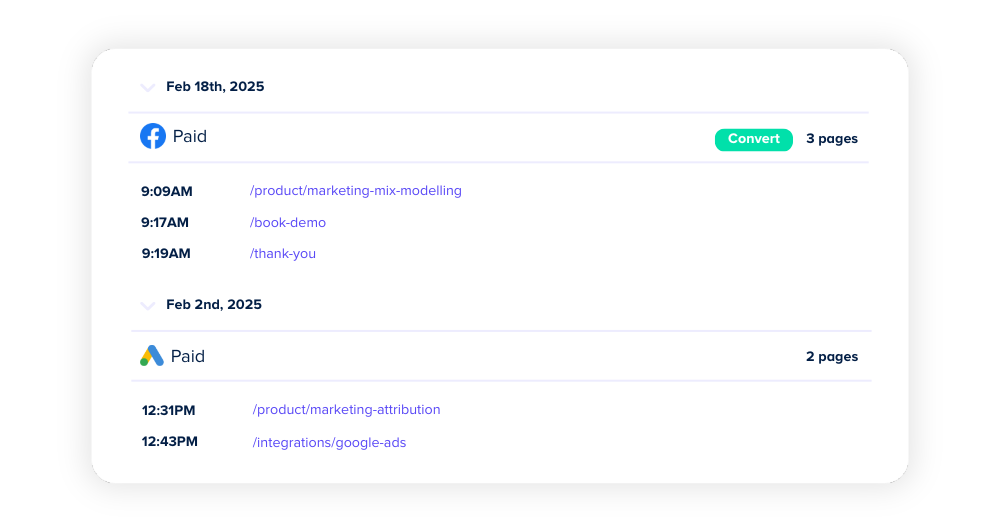
We also capture first-party conversion data from things like phone calls, forms, live chat, e-commerce sales, and self-reported surveys. This makes it easy to connect demo form submissions to user journey touchpoints, getting the whole process rolling.
Step 2: Send multi-touch attribution data to your CRM
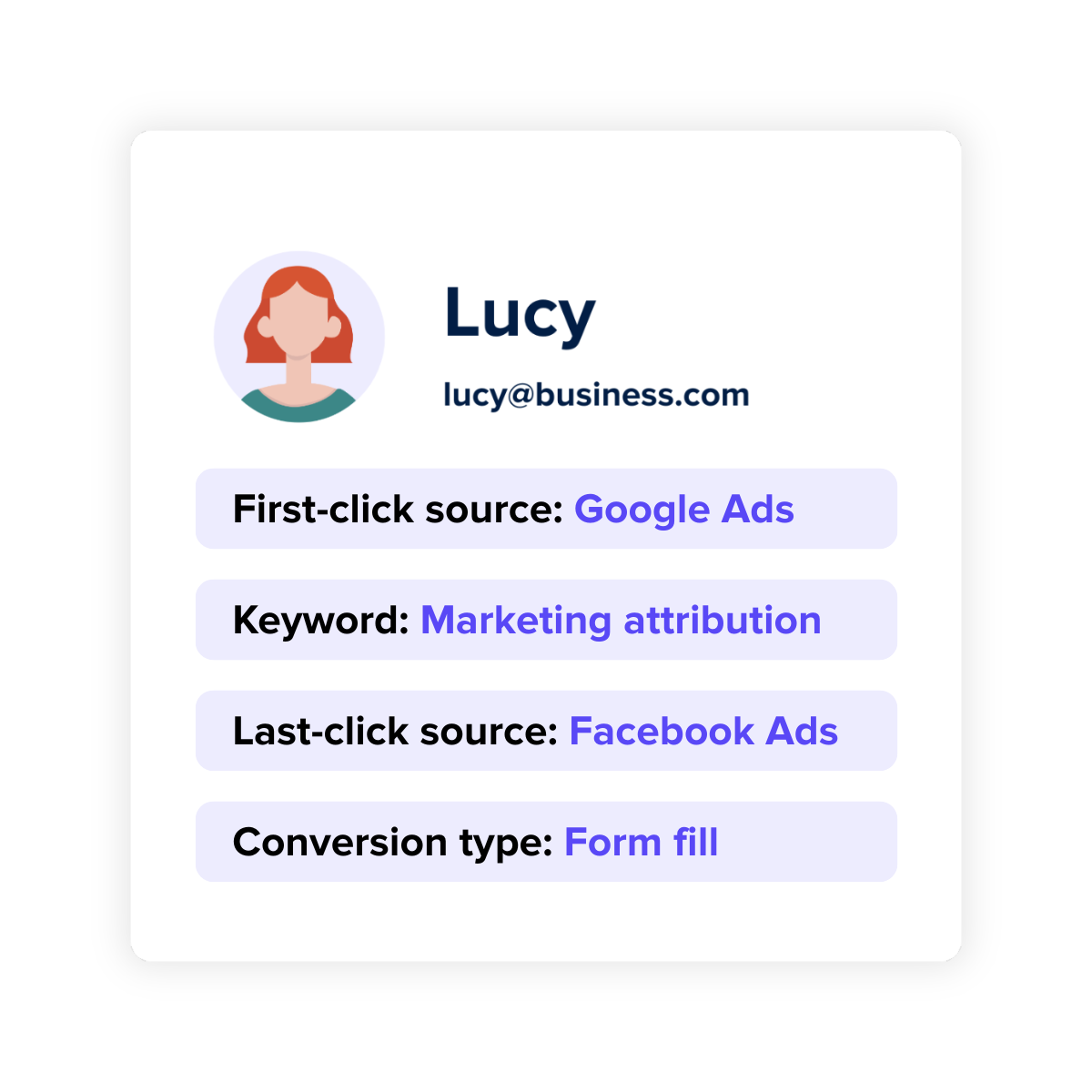
When someone fills out a demo request form, we want to send their marketing source data straight to our CRM.
This helps us track how different campaigns and ads (like the ones we run on Meta) are affecting our pipeline stages.
Plus, it’s super useful for understanding where specific audiences are coming from, especially when we’re syncing profile data back to Meta.
The thing with tools like GA4 is that they work with aggregate data and anonymous user IDs, which has its limits.
Plus, it doesn’t include campaign cost data. That makes it tough to tie specific individuals, like people filling out demo forms, to other interactions, like Zoom calls or in-person meetings.
That’s why our first-party data platform is so important. It fills in the gaps and captures everything GA4 misses.
Step 3: Pass closed won deals back to Meta
We now want to send any closed won/deals back to Facebook so we can:
1. Measure the direct impact of your efforts in Meta
2. Feed Meta with high-quality conversion data, which can help improve performance (e.g., better audience targeting).
You can actually do this for any stage of your funnel, depending on your goals. For now, though, we’re going to focus on sending closed/won revenue so we can create custom and lookalike audiences based on qualified information
There are two ways you can pass data back to Facebook:
- Automatic activation using Ruler.
- Manual list uploads.
In this example, we’re going to focus on option number one. Since we’re using Ruler for first-party tracking, we can set it up to send new events to your Facebook Ads account as offline conversions automatically.
For example, when a lead in Ruler converts into revenue, we can trigger an event. Using the email or phone number as key identifiers, Facebook will check if an ad was served to an account with matching details.
Manual uploads are possible if you run into API issues, but they can quickly get outdated (e.g., if a customer moves further down the funnel or to a new CRM stage). So, automated via Ruler is usually the better option.
We do have a guide on how to manually upload offline conversion data to Meta if you want the details.
To set up automatic activation via Ruler, you’ll need to create an Offline Conversion dataset in your Meta account. Here’s how:
- Go to Meta Events Manager.
- Click the green + (Connect Data Sources).
- Select Offline and click Connect.
- Name your dataset. Use something meaningful based on the event you’re tracking in Ruler (if you’re unsure, let us know, we can adjust this for you).
- Hit OK.
Now, with your dataset ready, click on its ID in Events Manager to view event data.
We’ll also need a key value (you’ll find this in Events Manager under Dataset). Once we have that, your Ruler account will start automatically sending data to Meta, no extra work for you.
Step 4: Benefit from better audience tareting and ad performance
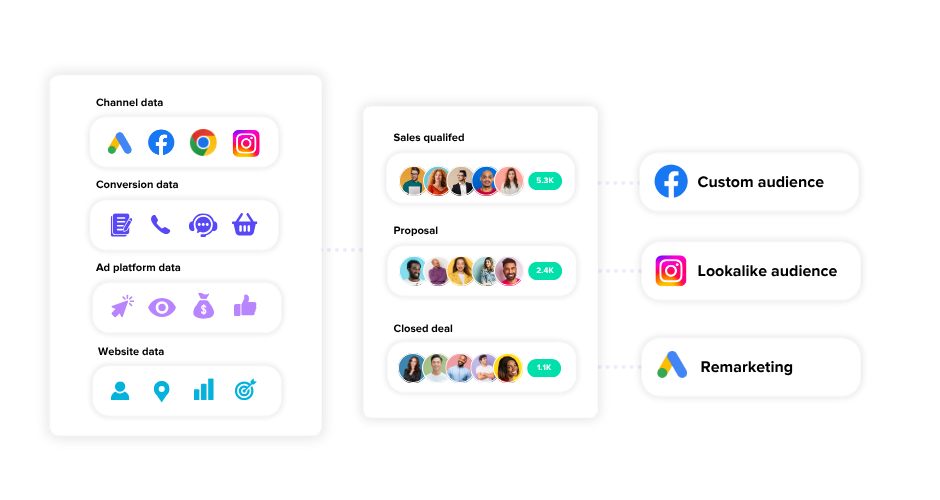
Now that these conversion signals are automatically sent to Meta, we can fine-tune our ad strategy and budget by creating custom lookalike audiences based on a list of qualified converted customers.
But it gets even better, with automatic activation through Ruler, you can:
- Target prospects at the MQL or SQL stage with testimonial-based ads, then remove them as they move further down the funnel.
- Retarget high-propensity audiences with new offers.
- Exclude existing customers from specific campaigns to avoid sending them the wrong messages at the wrong time.
The list goes on.
Get in touch with us for more information
Managing KPIs, budgets, keyword optimisation, creative work, and messaging, marketers already have their hands full.
Automatic activation keeps things running smoothly by constantly updating your audience targeting in real time.
The result? Your budget focuses on higher-converting opportunities while cutting down on waste.
Want to see it in action? Book a demo of Ruler today, and we’ll show you just how easy it is to get started and improve your Meta campaign results.